- 01
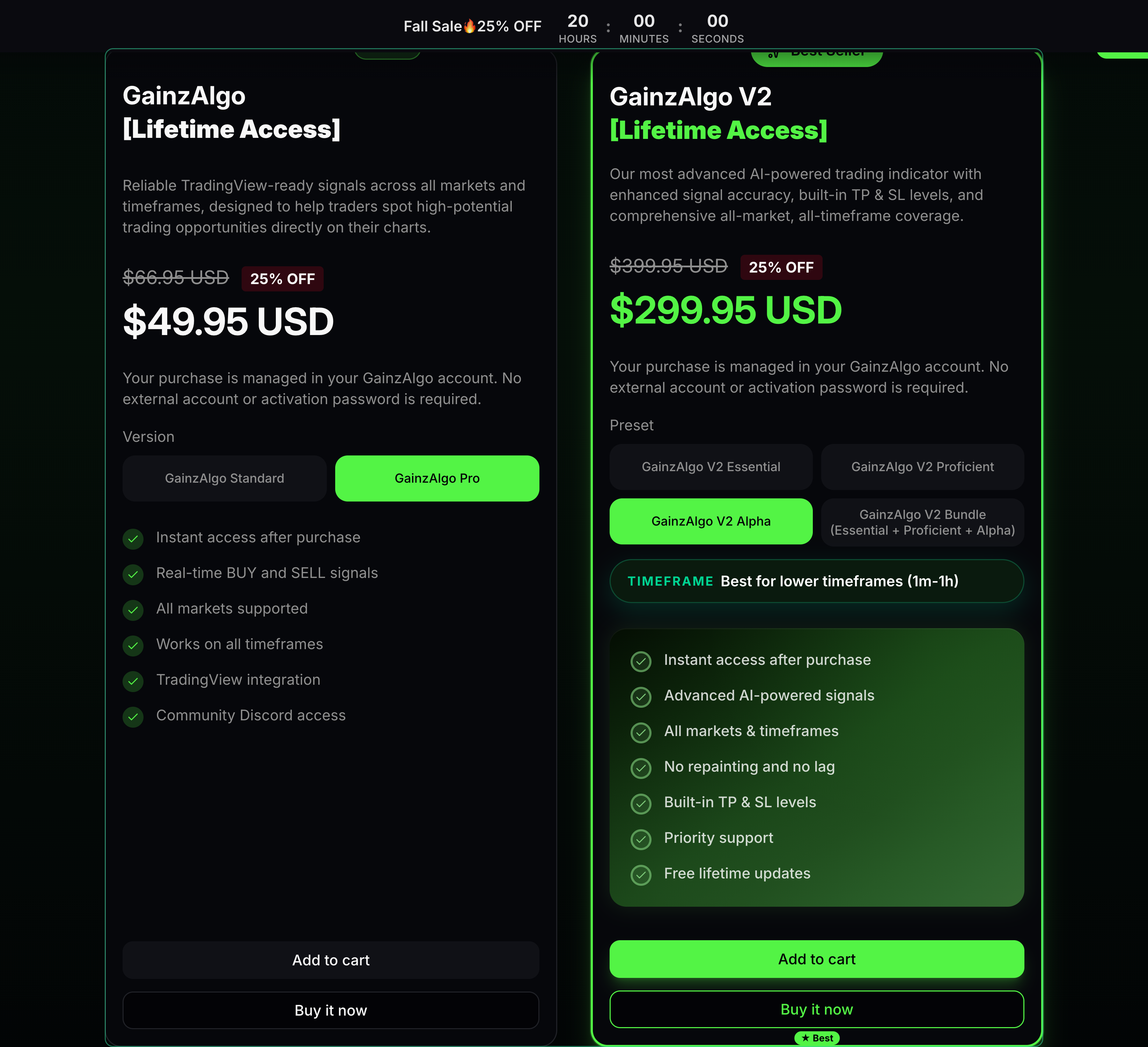
Compare plans
Pricing explains the products you can buy.
Read what Standard, Pro and the V2 plans include before choosing.
- 02
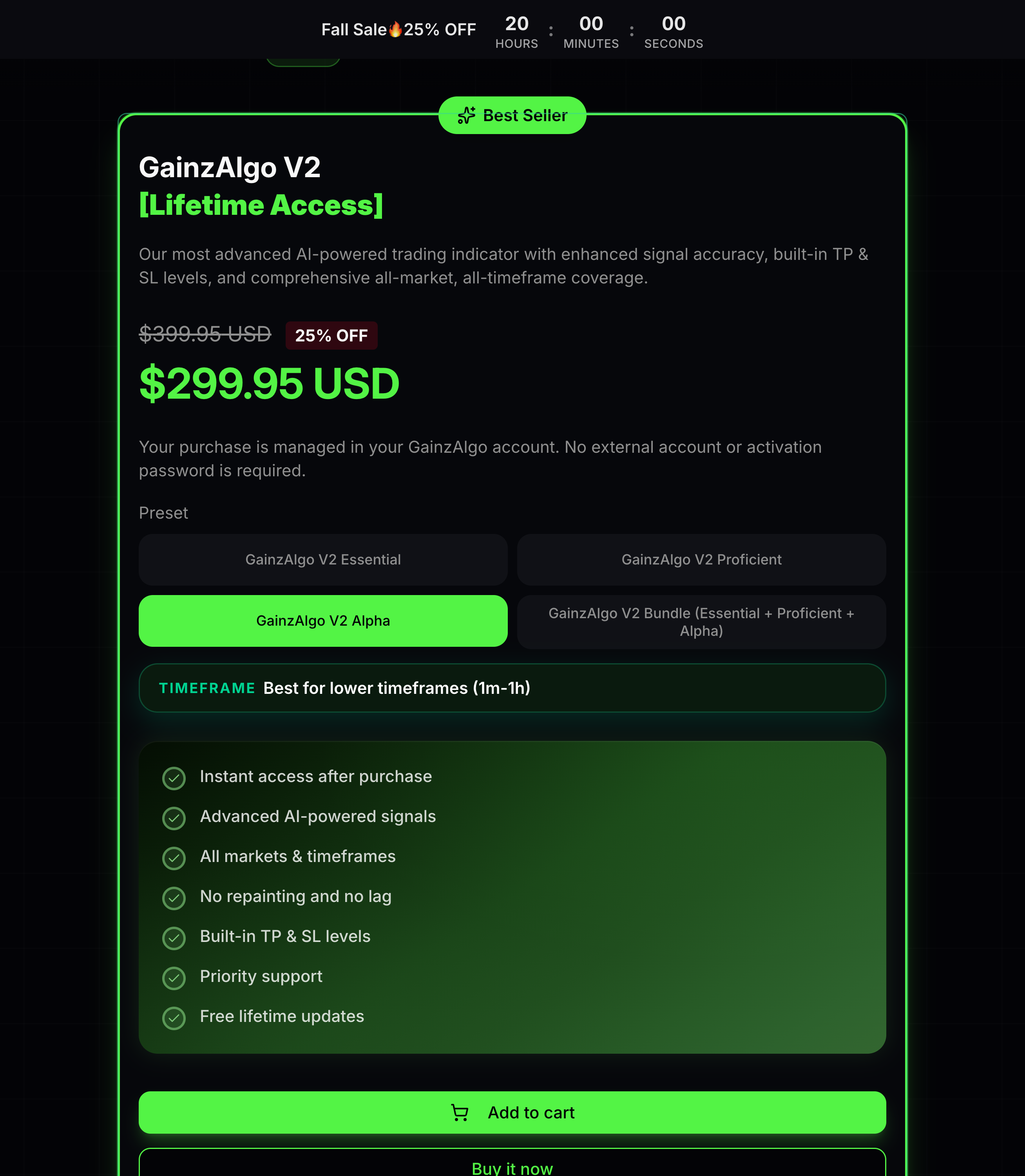
Review your product
The product page shows the plan and included features.
Check the selected version or preset and price. Existing Standard owners can review Pro Upgrade.
- 03
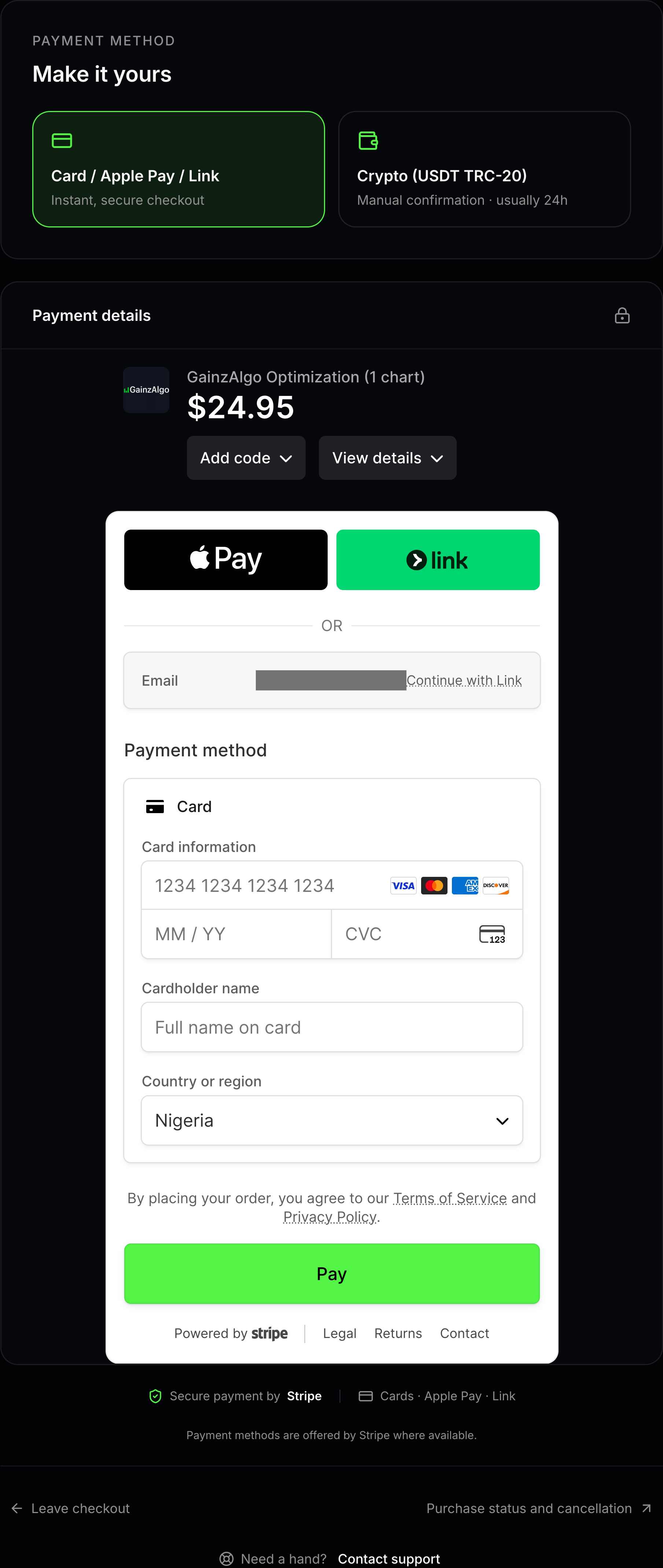
Choose a payment method
The checkout page offers Card and Crypto payment options.
Choose Card to pay by card, Apple Pay or Link, or choose Crypto to pay with USDT on the TRC-20 network.
- 04
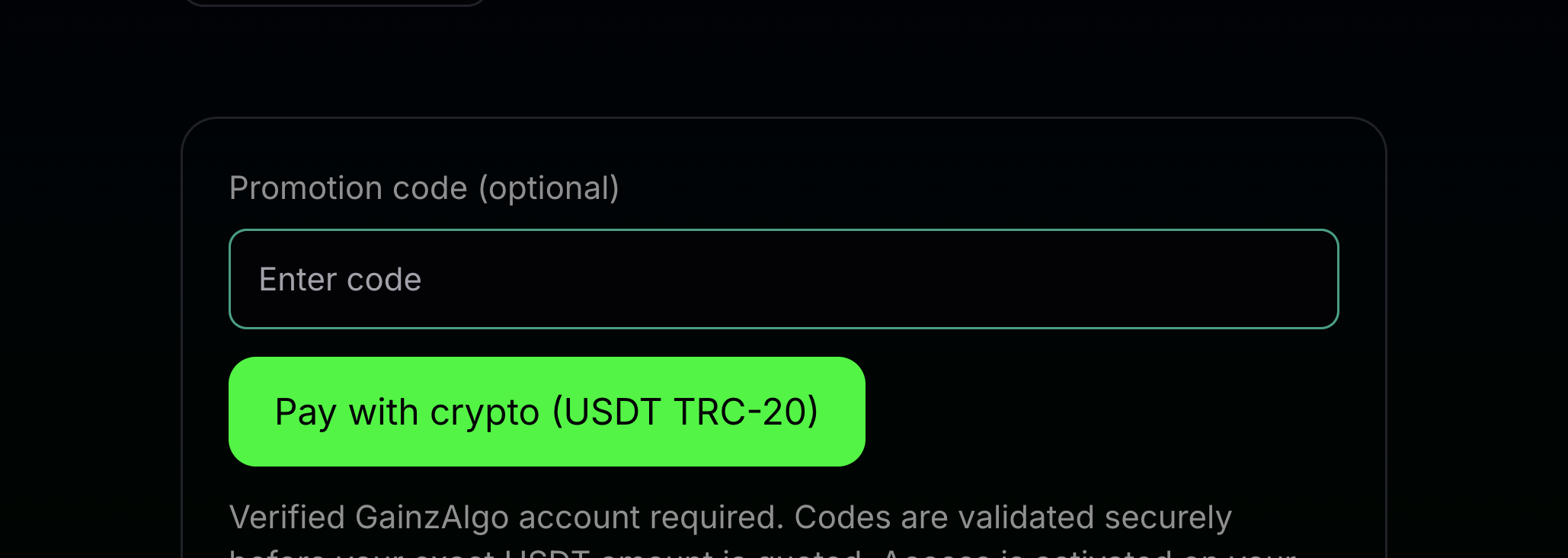
Check discounts and currency
A promotion code may reduce the price when it applies to your order.
Enter your code in the promotion-code field before continuing. Review the final total and currency before paying.


Keep learning
Was this helpful?